
Businesses today run on data. Every decision, from tracking daily sales to planning future growth, depends on understanding what the data is saying. But raw data on its own is useless unless it is organized, analyzed, and turned into clear insights.
This is where Business Intelligence and Business Analytics come in. Both help organizations make better decisions, but they do it in different ways.
For beginners, these terms often sound similar, which makes it difficult to understand how they differ and where each one is used.
This blog provides a clear BI vs BA explained breakdown for beginners, helping you understand the difference between BI and BA and how each is used in real business scenarios.
Key Takeaways
- Business Intelligence focuses on tracking performance through dashboards and reports to show what is happening
- Business Analytics focuses on analyzing data to explain trends and predict future outcomes
- BI supports day-to-day operational decisions, while BA supports strategic and forward-looking decisions
- BI works with past and present data, whereas BA uses data to understand patterns and forecast what comes next
- The key difference is that BI provides visibility, while BA drives decision-making
Business Intelligence vs Business Analytics: What’s the Difference
What is Business Intelligence
Business Intelligence focuses on tracking and reporting current performance. It turns raw data into dashboards and reports so teams can see what is happening across the business in real time.
What is Business Analytics
Business Analytics focuses on analyzing data to understand patterns, explain why changes happen, and predict future outcomes to support better decisions and build a career in business analytics.
Why Businesses Use Business Intelligence and Business Analytics
How businesses use data for decisions
Every business relies on data to make decisions. Sales teams track revenue, marketing teams measure campaign performance, and operations teams monitor inventory and delivery timelines. Without clear data, decisions depend on assumptions, which leads to inefficiencies and missed opportunities.
What Business Intelligence does in practice
Business Intelligence helps organizations understand what is happening across the business. It converts raw data into dashboards and reports that show key metrics such as sales, traffic, conversions, and operational performance.
In real work, teams use BI to monitor performance continuously. A sales manager checks daily revenue, a marketing team tracks campaign results, and an operations team monitors inventory levels. The goal is to provide visibility so teams can detect changes quickly and respond without delay.

What Business Analytics does in practice
Business Analytics goes a step further by analyzing data to understand patterns, explain changes, and predict future outcomes. Instead of just tracking performance, it helps answer why something is happening and what is likely to happen next.
For example, analytics can identify why conversions are dropping, predict future demand based on past trends, or detect customers who are likely to stop using a product. These insights help businesses plan ahead, reduce risks, and make better strategic decisions.
In simple terms, Business Intelligence shows what is happening, and Business Analytics explains why it is happening and what to do next.
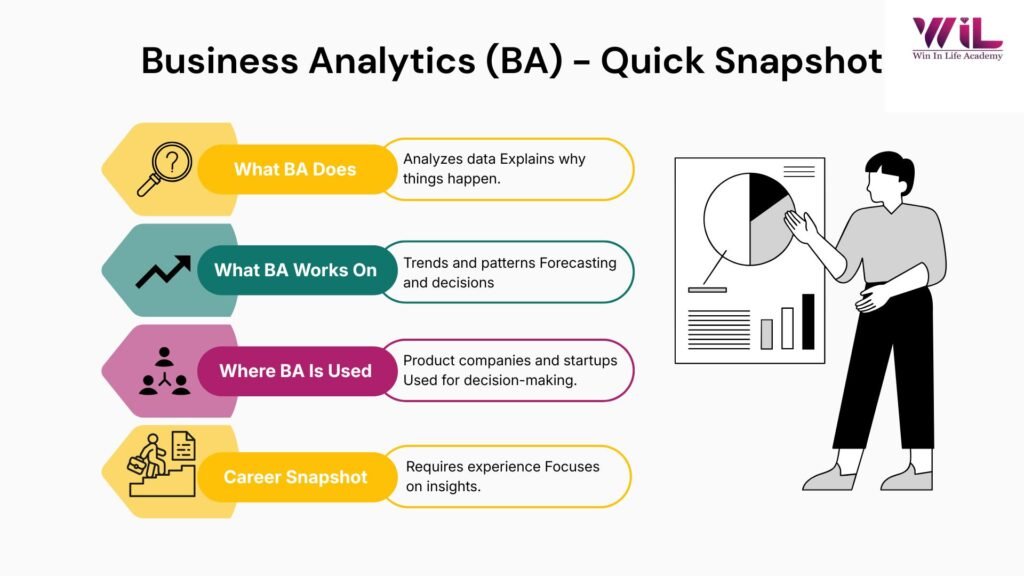
Difference Between BI and BA (Key Differences Explained)
This section gives a clear BI vs BA explained comparison based on real business usage.
| Aspect | Business Intelligence (BI) | Business Analytics (BA) |
|---|---|---|
| Primary focus | Tracks and reports performance | Analyzes data to explain and predict outcomes |
| Key question | What is happening? | Why is it happening and what will happen next? |
| Time focus | Past and present | Future and predictions |
| Decision level | Operational decisions | Strategic decisions |
| Output | Dashboards, reports, KPI tracking | Insights, forecasts, recommendations |
| Users | Managers, operations, business teams | Analysts, data teams, decision-makers |
Why this difference matters
Understanding the difference between Business Intelligence and Business Analytics helps businesses use data correctly. BI ensures teams have visibility into performance, while BA helps them understand changes and plan future actions.
Together, they move organizations from monitoring results to making informed, forward-looking decisions.
- Data Analysis & Predictive Modeling
- Generative AI & Prompt Engineering
- Python, SQL
- Data Visualization (Tableau/Power BI)
- Statistical Forecasting
- Business Intelligence
- Machine Learning Fundamentals
- Stakeholder Communication
How Business Intelligence and Business Analytics Work Together
Step 1: Monitoring performance (Business Intelligence)
The process begins with Business Intelligence dashboards that track key metrics such as sales, traffic, conversions, and operational performance. Teams use these dashboards to understand what is happening and identify any changes or issues.
Step 2: Understanding the cause (Business Analytics)
Once a change is noticed, Business Analytics is used to investigate why it happened. Analysts examine patterns, customer behavior, and other data points to identify the root cause instead of relying on assumptions.
Step 3: Predicting what comes next (Business Analytics)
After understanding the cause, analytics helps forecast future outcomes. Businesses can predict demand, identify risks, and anticipate trends based on historical data and current patterns.
Step 4: Taking action
Insights from BI and BA are then used to make decisions. Teams may adjust strategies, improve processes, or optimize operations based on what the data shows and what is expected next.
Real-World Examples of Business Intelligence vs Business Analytics
Amazon: Using BI for performance tracking and operations
Amazon uses Business Intelligence to monitor sales, pricing, and supply chain performance in real time. Their systems track customer behavior, product demand, and inventory levels across regions, allowing teams to quickly adjust pricing, manage stock, and optimize operations.
Amazon uses data extensively to optimize operations and customer experience (source: Amazon, McKinsey).
At the same time, Amazon uses analytics to understand buying patterns and improve recommendations, helping predict what customers are likely to purchase next.
Netflix: Using BA to drive content and user experience
Netflix relies heavily on analytics to drive content and recommendations (source: Netflix Tech Blog, McKinsey).
It analyzes user behavior, viewing patterns, and preferences to recommend content and even decide what shows to produce.
Instead of just tracking what users watch, Netflix uses analytics to predict what they will watch next, which directly improves engagement and reduces churn.
Walmart: Using BA for demand forecasting
Walmart uses data analytics to improve inventory and demand forecasting (source: Walmart, Forbes). By analyzing historical data, it ensures the right products are stocked at the right time, reducing shortages and overstocking.
This allows Walmart to plan inventory more efficiently and improve customer experience across stores.
Uber Eats: Using analytics for real-time decisions
Uber uses real-time data and analytics to optimize delivery and pricing (source: Uber Engineering Blog).
It uses data analytics to estimate delivery times, adjust pricing based on demand, and personalize recommendations for users.
This goes beyond tracking performance and actively uses data to optimize operations and customer experience in real time.
Streaming platforms (Spotify / Netflix): Using BI for monitoring engagement
Streaming platforms rely on dashboards and analytics to track engagement and performance (source: Spotify Engineering, Netflix Tech Blog) . Streaming platforms use Business Intelligence dashboards to track user activity, engagement, and content performance. These dashboards help teams monitor what is trending and how users are interacting with the platform.
This visibility helps teams quickly identify changes and respond with content or feature updates.
What Do These Real-World Examples Show
Across these examples, one thing becomes clear. Companies do not rely on just tracking data or just analyzing it, they use both together.
Business Intelligence helps them see what is happening in real time, whether it is sales, user activity, or operations. Business Analytics builds on that by explaining why those changes are happening and what is likely to happen next. This is how companies like Amazon, Netflix, and Walmart make faster decisions, improve customer experience, and stay competitive.
The takeaway is simple: tracking alone keeps you informed, but combining it with analysis helps you act ahead of time.
What Tools Are Used in Business Intelligence and Business Analytics
Business Intelligence and Business Analytics use different types of tools because they solve different problems.
Business Intelligence tools are used to track and present data clearly. They help teams create dashboards, monitor performance, and understand key metrics at a glance. Tools like Microsoft Power BI, Tableau, and Excel are commonly used to build reports and dashboards that update in real time.
Business Analytics tools are used to explore data more deeply. They help analyze patterns, test ideas, and predict future outcomes. Tools like Python, R, and SQL are widely used to work with data, run analysis, and build models.
The key difference is not just the tools, but how they are used. BI tools help you see what is happening. BA tools help you understand why it is happening and what is likely to happen next.
What Skills Do You Need for Business Intelligence and Business Analytics
Skills Needed for Business Intelligence
Business Intelligence requires the ability to work with performance data and present it clearly. This includes understanding key metrics, building dashboards, and choosing the right way to visualize data so that trends and changes are easy to spot. The focus is on making data simple and usable for everyday decision-making.
Skills Needed for Business Analytics
Business Analytics requires stronger analytical thinking. You need to examine data, identify patterns, and understand what is driving results. This involves working with data tools, applying basic statistical thinking, and connecting insights to real business problems. The focus is on explaining change and supporting decisions.
Skills Both Roles Share
Both roles require clear communication and a good understanding of how businesses operate. You need to translate data into insights that teams can act on. Without this, even accurate analysis or dashboards will not lead to better decisions.
Career Scope: Business Intelligence vs Business Analytics
Career Opportunities in Business Intelligence
Business Intelligence roles are widely available across industries because every organization needs to track performance. Companies in banking, healthcare, retail, logistics, and IT rely on dashboards and reporting to run daily operations. This makes BI a practical entry point for beginners.
Common roles include:
- BI Analyst – builds dashboards and tracks performance metrics
- Reporting Analyst – creates regular business reports
- MIS Analyst – manages operational data and reporting
- Data Visualization Analyst – presents data in clear visual formats
Career Opportunities in Business Analytics
Business Analytics roles focus on analysis and decision support. These roles are common in product companies, consulting firms, and data-driven organizations where understanding patterns and predicting outcomes is critical.
Common roles include:
- Data Analyst – identifies trends and insights from data
- Business Analyst – connects business problems with data-driven solutions
- Analytics Specialist – works on deeper analysis and insights
- Product Analyst – analyzes user behavior to improve products
As you gain experience, these roles can evolve into positions that involve strategy, forecasting, and business decision-making.
How to Start Learning Business Intelligence and Business Analytics
- Understand how data is structured
Start with the basics. Learn how data is stored in tables, how rows and columns relate to each other, and how different datasets connect. If you don’t understand this, everything else will feel confusing later.
- Work with data using simple tools first
Don’t jump into complex tools immediately. Start with Excel and then move to dashboards in Microsoft Power BI. Focus on understanding how data is presented, how metrics are tracked, and how trends are identified.
- Learn how to extract and analyze data
Once you are comfortable with basics, learn SQL to pull data from databases. Then use tools like Python to explore patterns, clean data, and perform analysis. This is where you move from viewing data to actually working with it.
- Build small, real-world projects
This is where most beginners fail. Watching tutorials is not enough. Build simple projects like a sales dashboard, customer behavior analysis, or monthly performance report. These projects help you understand how data is used in real business scenarios.
- Focus on thinking, not just tools
Tools will change, but the way you approach problems should not. Always ask: What is the business problem? What data do I need? What decision will this support? This mindset is what separates someone who knows tools from someone who can actually do the job.
- Stay consistent and build gradually
You don’t need to learn everything in one go. Spend time regularly working with data, improving your understanding, and building projects. Progress in this field comes from consistent practice, not speed.
Common Mistakes Beginners Should Avoid
Most beginners slow themselves down not because the field is hard, but because they approach it the wrong way.
- Focusing too much on tools instead of understanding problems
Jumping between tools without knowing what problem you are solving does not build real skill.
- Avoiding real datasets
Watching tutorials is not enough. Without working on real data, you don’t learn how messy and unpredictable it can be.
- Thinking advanced math is required
At the beginner level, logical thinking matters more than complex statistics.
- Ignoring business context
Data only becomes useful when you understand what the business is trying to achieve.
- Trying to learn everything at once
Covering too many topics together leads to confusion and burnout instead of progress.
Avoiding these mistakes will help you learn faster and build skills that actually matter in real-world roles.
Build the Right Skills for a Data Career
If you want to move into roles like Business Analyst, Data Analyst, or Business Intelligence professional, you need more than basic understanding. You need practical skills that reflect how data is actually used in real business scenarios.
This means working with real datasets, building dashboards, analyzing trends, and understanding how decisions are made using data. Without this, it is difficult to move beyond theory into actual job readiness.
Structured programs can help here if they focus on application, not just content. The PG Diploma in Business Analytics & Next-Gen AI by Win in Life Academy is designed around this approach. It combines core concepts with hands-on projects, exposure to tools, and real-world use cases so you can build skills that are directly relevant to industry roles.
The goal is not to learn everything, but to build a strong foundation that allows you to start working with data and grow into more advanced roles over time.